


Popunder Traffic Setup: Targeting, Bids and Optimization That Convert
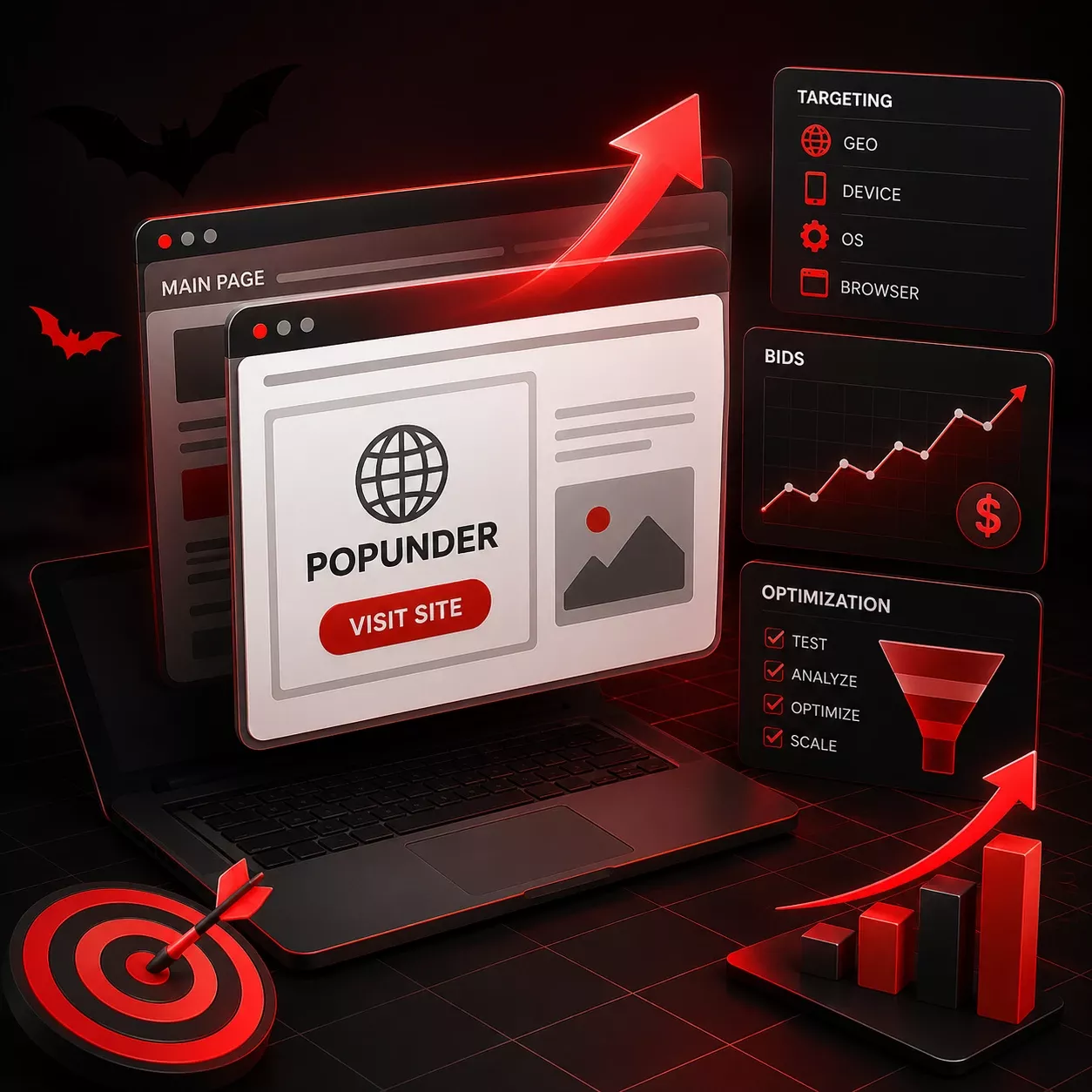
Popunder traffic is a full advertiser page that opens in a tab behind the one the user is viewing, triggered by their own click on the publisher's website. It converts on four settings, applied in order: one GEO and one vertical to target, a bid above the auction average, a limit of one impression per user per day, and a source blacklist built once conversion data arrives. AdsCompass sells pop on CPC across 200+ countries, alongside push, in-page, banner, native, video and Telegram formats, at around 900 million impressions a day, with adult content and iGaming permitted.
What Popunder Traffic Costs on AdsCompass
Three hundredths of a cent. That is the minimum bid for the pop format on AdsCompass - $0.0003 per click, and on popunder a click is a landing page load, so this figure is your cost per visit before any conversion math. It is by far the lowest threshold on the platform, since pop delivers volumes no other format can match.
| Format | Minimum bid |
|---|---|
| Pop | $0.0003 |
| In-page | $0.0008 |
| Push | $0.001 |
| Banner | $0.001 |
| Telegram Rewarded Post | $0.01 |
| Native | $0.1 |
| Video Pre-roll | $0.1 |
| Telegram Rewarded Video | $0.1 |
Why the floor is not the price you pay
The floor only tells you where bidding starts. Static rates do not exist on AdsCompass: the price is set by auction, and it moves with what other advertisers bid, with the audience of the site serving the ad - its GEO and the devices people arrive on - and with the format itself. A Tier-1 slot contested by iGaming buyers clears at a multiple of the same slot in a quiet Tier-3 market.
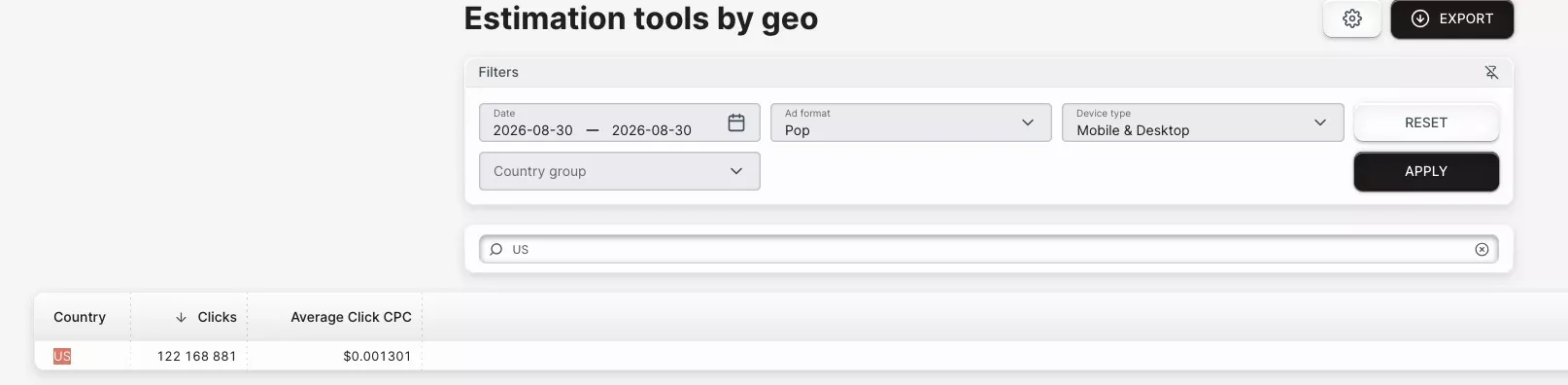
The check to run before any deposit is the estimation tools section of the AdsCompass account, the traffic calculator: set one country and pop, then write down the average bid. Those averages update from auctions that have already cleared, and the recommendation shifts with what you are optimising for - maximum click volume pulls a different number than the cheapest clicks in a given GEO. Registration is free, and every other figure in the plan hangs off that one.
Why Popunder Is Priced on CPC and What a Click Buys
Popunder on AdsCompass self-serve is sold on CPC only, and so are push and in-page - bids across all three are given per click. Anyone searching for a popunder CPM rate on the platform will not find one: popunder CPC behaves differently from CPC on every other format, because here the click and the visit are the same event.
The reason is purely technical. The click a popunder charges for is the click that opens the tab, and that tab is already your landing page. On a banner or a push, the click sends someone toward your page and some share never arrives; on popunder there is no gap between paying and landing. Your bid is your cost per session, read directly - $0.0003 buys a visit, $0.008 buys a visit from an audience that arrives in exactly the same state.
Why Traffic from Popunders and Popups Isn't the Same Thing
Chrome blocks popups by default and allows popunders through, because the two reach the browser in different ways. That asymmetry is why the two formats reach different segments of the same audience, and why they are priced separately.
The browser's built-in blocker stops windows that a page tries to open on its own, without a prior click. A popunder, on the other hand, waits for a genuine click anywhere on the publisher's page and opens a tab based on that click, so Chrome interprets this action as coming from the visitor. A popup window that launches as soon as the page loads has no click to trigger it and never appears on the screen.
Chrome has tried to close this gap. In an Intent to Implement titled "Block Tab-Unders", Chrome engineer Charles Harrison proposed blocking the main-window navigations the browser identified as tab-unders, with native browser UI letting the user proceed if they chose. It never reached the stable channel. Nine years later popunders still deliver in Chrome, and Google's pressure moved to the Abusive Experience Report, which acts on site owners instead of on the technique.
When you buy popup traffic from a source that lists both formats, ask which trigger it uses. A tab opened on the back of a click is popunder inventory under another label, and it belongs against popunder rates.
What It Costs to Buy Popunder Traffic and What to Budget
AdsCompass accepts $50 as an account minimum and recommends $500 for a first pop test. The lower figure opens the account. The higher one is the platform's own guidance for a test that returns readable source-level data, because pop delivers through a large number of separate traffic sources and each needs enough spend behind it to be judged at all.
At the $0.0003 floor, $500 buys roughly 1.6 million clicks and $50 buys 166,000 - affording the traffic was never the constraint. Cheap popunder ads are easy to get; knowing which of them worked is the part that costs money.
There is no default daily budget on AdsCompass and no platform floor for it - the advertiser sets the figure. For a first test the one formula that holds is total budget divided by the days allotted to data collection: $500 across five days means $100 a day on a single campaign. Past that stage the number stops being formulaic, because the right daily spend depends on how many targeting layers and offers sit in the funnel.
Funding runs through Capitalist, BTC, USDT TRC-20, PayPal, Stripe, Paxum, WebMoney and bank wire. Confirm the minimum for your own method before you transfer, since published summaries of the $50 floor differ on whether it covers every payment option or most of them.
How Long Moderation Takes and What Gets Rejected
Ten minutes. That is the typical AdsCompass moderation window, longer in individual cases, so a campaign submitted at the start of a session is usually live before the tracker is finished. Kill it, change one variable, resubmit within the same hour.
Adult and iGaming offers are permitted, with restrictions on how explicit the creative side is allowed to be. Violence, weapons and drugs are prohibited outright, and no budget moves those categories through review.
Three things account for most rejections:
- Terms and conditions breaches in the offer itself
- Campaign links entered incorrectly - a malformed URL fails before anything else is assessed
- Destination URLs carrying a large number of VirusTotal alerts
The third catches experienced buyers, because the alerts usually attach to a tracker domain or a shared hosting IP rather than to the advertiser's own page. Scan the full redirect chain before submitting, not just the landing page itself.
Which Verticals Run on AdsCompass Pop Inventory
iGaming, dating, sweepstakes, gaming and software make up the bulk of AdsCompass pop spend. The platform's explicit permission for adult and iGaming matters more than it first appears: a large share of high-volume pop supply is adult, and advertisers who buy adult traffic work from a narrower set of platforms than the format's raw availability suggests.
Match the vertical to the bid range, not the format. Sweepstakes and utility offers survive on cheap Tier-3 volume: small payouts, fast qualification. iGaming competes against the highest bids on the platform and needs a landing page that qualifies hard in the first screen. Dating sits between the two and is the sensible place to start, because payouts arrive often enough to read a result inside a small budget.
Targeting and Frequency Controls in the AdsCompass Campaign Builder
The AdsCompass campaign builder exposes seven targeting layers plus frequency and schedule limits, enough to repair a bad campaign instead of abandoning it:
| Parameter | What it fixes |
|---|---|
| Country, region, city | Cost - a national bid overpays for the cheap half of the country |
| OS, device type, device brand | Landing page mismatch on old or low-end handsets |
| Browser, with webview blocking | In-app browser traffic that never behaves like a real session |
| Connection type, ISP, carrier | Wi-Fi versus mobile data offers; carrier-billing flows |
| Browser language | Wrong-language visitors inside a multilingual GEO |
| Site whitelist and blacklist | Source-level waste, once conversion data exists |
| Schedule and display limits | Dead hours and repeat exposure |
Frequency capping moves your cost more than your bid does
Tightening the cap cuts wasted spend faster than any bid change, because a second and third impression on the same person converts at a fraction of the first while costing the same. One pop per user per 24 hours is the standard setting. AdsCompass exposes both display frequency and a display limit for the period alongside the schedule, so check the default rather than accepting it - a cap of three per day on a source with heavy repeat visitors means paying three times to reach one person.
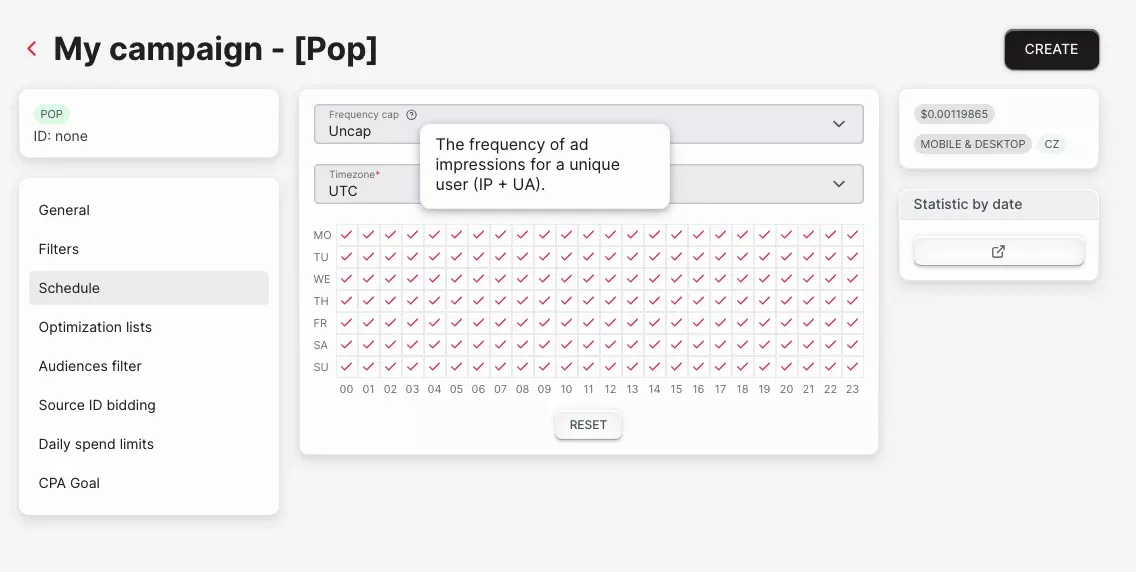
The way to buy cheap popunder traffic is to narrow, not to underbid. Dropping the bid pushes you below the clearing price and starves the campaign of volume. Restricting a GEO to desktop, three cities and evening hours keeps the bid competitive against a much smaller pool.
The Landing Page Is the Only Creative Element in a Popunder Ad
In popunder traffic advertising there is no room for design other than the landing page itself, since the page that opens is the entire ad. Push ads have an icon, a headline and a description that can be tested. Native ads have an image and a headline. Popunder ads have a URL. All the elements that are usually part of the creative - the hook, the qualification and the promise - must be placed at the top of the landing page.
This changes the purpose of the first screen. The visitor arrived without context, read no headline, and did not choose this page; they discover the tab minutes later, when they close the one in front of it. A brand story loses them in the first second. A single screening question keeps the portion worth keeping and lets the rest leave before they cost anything downstream.
Three rules follow from the delay between loading and viewing. Nothing may depend on the referrer, since the tab has no meaningful one. Nothing may depend on a countdown, since it expires before anyone sees it. And the page must be fully rendered on arrival rather than assembled when it gains focus, because the visitor sees the finished result or nothing.
Three prelander types that work on pop
Quizzes, result pages and comparison tables carry most pop traffic, because each performs the filtering the missing creative would have done:
- The quiz. Two or three questions that qualify intent before the offer appears. Works best on dating and sweepstakes, where the answers also personalize the offer page.
- The result page. The visitor lands on an outcome - a prize, a match, a score - that they must claim. Strong on sweepstakes, weak anywhere the claim looks implausible for the GEO.
- The comparison. A short table of options with one recommended. Suits iGaming and software, where the visitor needs a reason to prefer one destination over the others they could reach on their own.
How Many Clicks It Takes to Break Even on Pop
The break-even point equals your offer payout divided by your bid, which at a $0.002 bid against a $25 payout works out to 12,500 clicks. Work this out before launching, because pop delivers volume fast enough to spend a budget before the first analysis:
| Bid (CPC) | What it buys | Clicks to break even on a $25 payout |
|---|---|---|
| $0.0003 | one visit | 83,333 |
| $0.002 | one visit | 12,500 |
| $0.008 | one visit | 3,125 |
Read that as a conversion rate: 0.008% at a $0.002 bid, 0.032% at $0.008 - four times better traffic for the same offer. This is why a Tier-1 bid demands a qualifying prelander and a Tier-3 bid can survive without one.
Measure your funnel at two points: the share of arrivals reaching the offer page, and the share of those converting. When the product lands below break-even, the first screen is almost always the fix, and the bid almost never is.
How to Check the Quality of Traffic from Popunders in Your Own Analytics
Quality popunder traffic is confirmed in your analytics, not in the ad network's reports. Every popunder impression is a page load, so you see 100 percent of what you paid for - a diagnostic display buying never offers, and no viewability gap to dispute.
Four checks catch most problems:
- Time-on-page distribution, read as a spread. A healthy source produces a long tail. A mass of sub-second sessions means forced loads or automation.
- Reported GEO against IP-derived GEO in your own logs.
- Repeat fingerprints arriving despite the cap that was set.
- Placement concentration. Eighty percent of spend landing on two source IDs means the buy was one site.
Cheap traffic fails at these checks, and the way to compare sources is effective cost per real visitor. A source bought at $0.0003 that returns ninety percent sub-second sessions delivers real visitors at $3.00 per thousand. A source at $0.0012 returning seventy percent engaged sessions delivers them at $1.71 per thousand. The nominally cheaper buy costs nearly twice as much for the traffic that can actually convert.
AdsCompass pre-moderates publisher sites manually before ad code goes live and runs an in-house anti-fraud layer on top. Network screening and your own session data still answer different questions.
Tracking That Makes Optimization Possible
Every optimization below depends on one field arriving intact: the source ID. Without it the report shows spend and conversions but no way to attribute either to a placement, which turns source selection - the only real lever pop has - into guesswork.
Set up S2S postback before the campaign goes live. The macro names sit in the AdsCompass campaign builder next to the URL field: paste them in, run a single test conversion, and confirm the source ID arrives populated rather than blank. A day of untracked pop traffic cannot be analyzed afterwards, because the attribution was never captured.
Two checks confirm the setup works. Compare conversions in the tracker against the AdsCompass dashboard: a persistent gap means the postback fires inconsistently. And check time from click to conversion - anything under a second is a tracking artifact, not a result.
Optimizing a Pop Campaign After Launch
Optimization on pop is source selection, and almost nothing else. The bid sets how much volume reaches the campaign; the source list sets whether that volume can convert. Run it as a fixed sequence instead of by intuition.
First pass - remove the obviously broken. Any source whose sub-second session share sits far above the campaign average goes on the blacklist immediately, before conversion data exists. This is the only decision made on traffic quality alone, and it usually removes a meaningful share of spend on the first day.
Second pass - judge conversion rate against the campaign average. A source with no conversions and very little traffic has told you nothing yet. A source with no conversions and heavy volume has told you plenty. The first stays until it accumulates enough impressions to be readable; the second goes. Set that readability threshold from your own break-even count rather than from a round number - a source that has not yet delivered the impressions one conversion should take is not a failing source, it is an unmeasured one.
Third pass - separate the two failure modes. High volume with zero conversions means the source is wrong for the offer, and no bid change repairs it. Low volume with a strong conversion rate deserves the opposite: a higher bid, and eventually a whitelist campaign running alongside the broad one.
Then move from RON to whitelist. A run-of-network campaign is a discovery tool with a fixed cost. Once the winners are identified, they belong in a separate campaign with a higher bid and a looser cap, while the broad campaign continues at a lower bid purely to find replacements. Dayparting comes last, applied per source instead of campaign-wide, since the hours that work differ between placements far more than they differ between countries.
Drawbacks of the Popunder Format
Popunder converts worse per impression than push or native, and makes up for it with volume and price. That trade is the essence of the format, and it falls short in four specific situations.
There is no brand safety. Popunder inventory is bought by placement, not context, and even with a blacklist one new source is enough to put your ad on a page you would not have chosen. Advertisers with a brand to protect should not run popunder at all.
Multi-stage funnels do not work. Visitors arrive cold, in a background tab, with no intent. A flow requiring registration, then email confirmation, then a deposit loses almost everyone at the first gate. Popunder rewards one decision and punishes sequences.
Cheap Tier-3 inventory has the highest proportion of bots. The lowest bid rates attract the least scrupulous supply, so the quality checks above become all the more important the less you pay.
There is only one lever. When a popunder campaign shows low performance, the landing page is the only creative variable available. A push campaign lets you test icons, headlines and descriptions; popunder gives you a URL.
Launching Your First Pop Campaign on AdsCompass
Your first campaign is designed to collect baseline data, not to generate profit, and all settings should reflect this. Sign up and open the Traffic Calculator before adding funds to your account - it is free and lets you determine the average bid for your selected GEO and ad format.
- Select one GEO and one vertical. Changing two variables at the same time means you will not be able to attribute the result to either of them.
- Top up with $500 if the campaign matters, or $50 if you are only testing the platform, then set the daily budget to that figure divided by your test window - $500 over five days is $100 a day.
- Set your bid higher than the calculator's average for that GEO and format. The $0.0003 floor is theoretical; below the clearing price you will not receive any traffic at all.
- Set an impression frequency limit of once per user per day and restrict targeting to either desktop or mobile, but not both.
- Calculate the number of impressions at which you break even, based on payout and bid, before spending any money - so you understand in advance what a failure would look like.
- Check the entire redirect chain to ensure that moderation does not reject you because of a tracker domain flagged on VirusTotal.
- Confirm the S2S postback is firing and that the source ID reaches your tracker populated, using the checks above.
- Read the distribution of time spent on the page before you read conversions. A broken distribution means the conversions were never going to arrive, and the solution is to blacklist the source; a new landing page will not help here.
FAQ