
Push Ad Campaigns on AdsCompass: Bids, Targeting and Cost Control
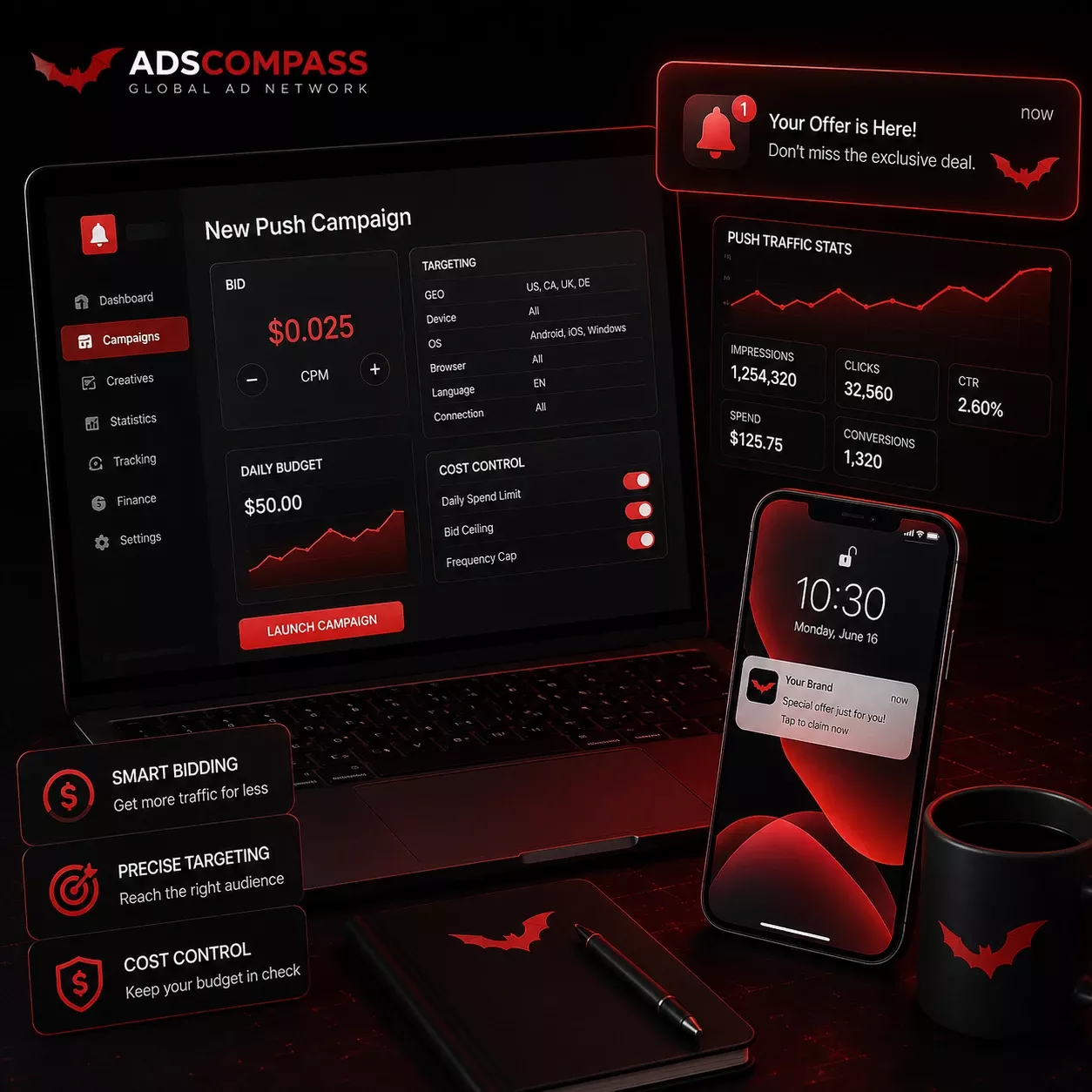
A push ad campaign on AdsCompass runs on bids you set from $0.001 a click, targeting from country down to browser version, and cost control applied per traffic source through Source ID bidding. In-page push starts lower, at $0.0008. Nothing is auto-optimized, so a bid you set stays where you put it until you move it. A $50 deposit opens the account, creatives clear moderation in about ten minutes, and bid changes take effect within an hour.
Push Ad Formats Sold on AdsCompass
A push ad on AdsCompass is a notification-style message bought per click, sold in two formats: classic push, delivered as a system notification on the device, and in-page push, delivered as a notification-shaped block inside a publisher's page. Both carry an icon, a headline, a line of body text and a destination URL. Push notification ads is the same product under a different name, and we operate as a push notification ad network on the buy side and an exchange on the sell side.
Where the impression happens is what changes the plan. Classic push reaches a user who is not on a website at that moment, so the click arrives cold and the landing page carries the whole sale. In-page push reaches a user mid-session, closer in behavior to a banner, and runs on devices and browsers where classic push is unavailable. We price the two separately because they behave differently in the auction. How the subscriber base behind push traffic is collected, and how fast it decays, explains most of that gap.
Push Ad Pricing on the AdsCompass Platform
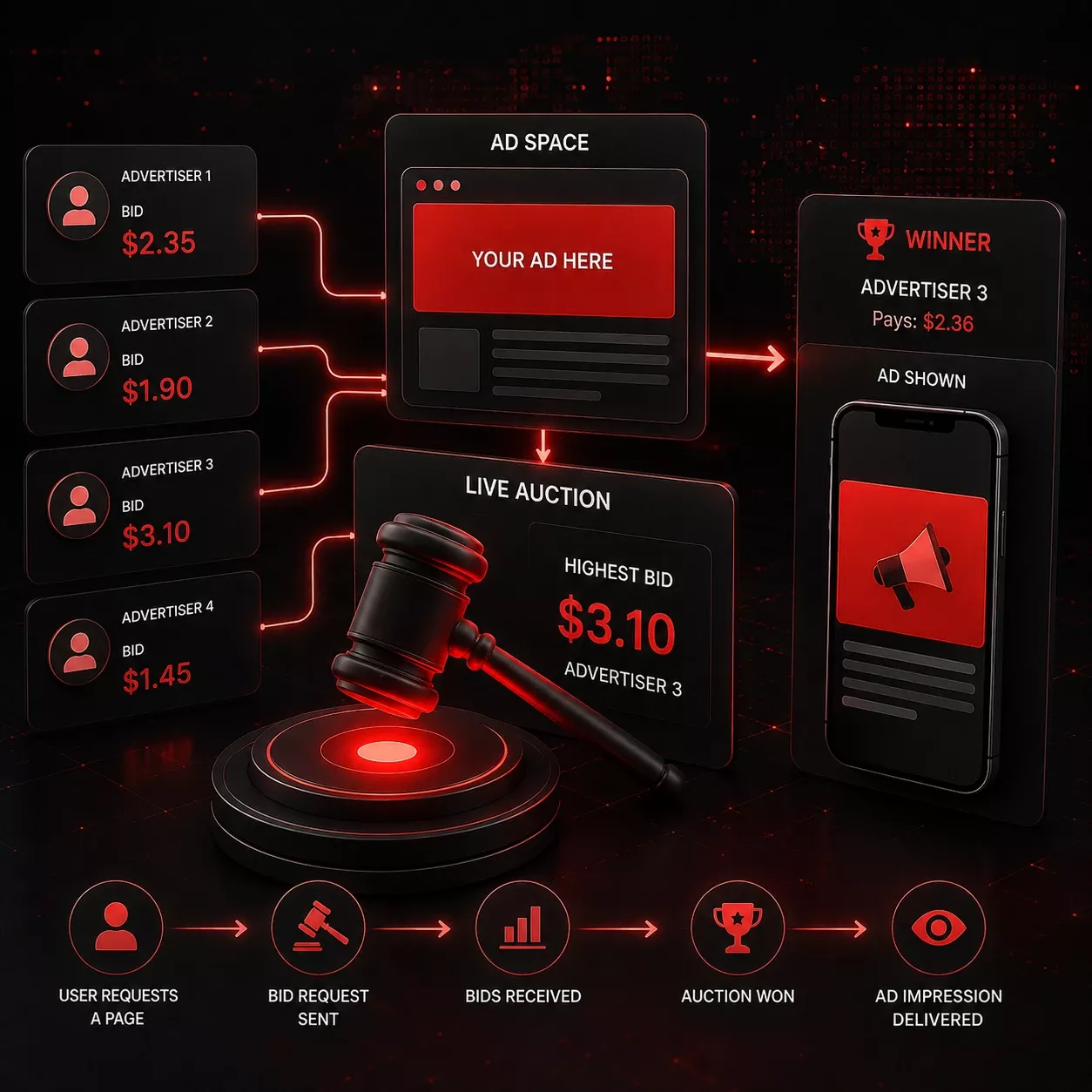
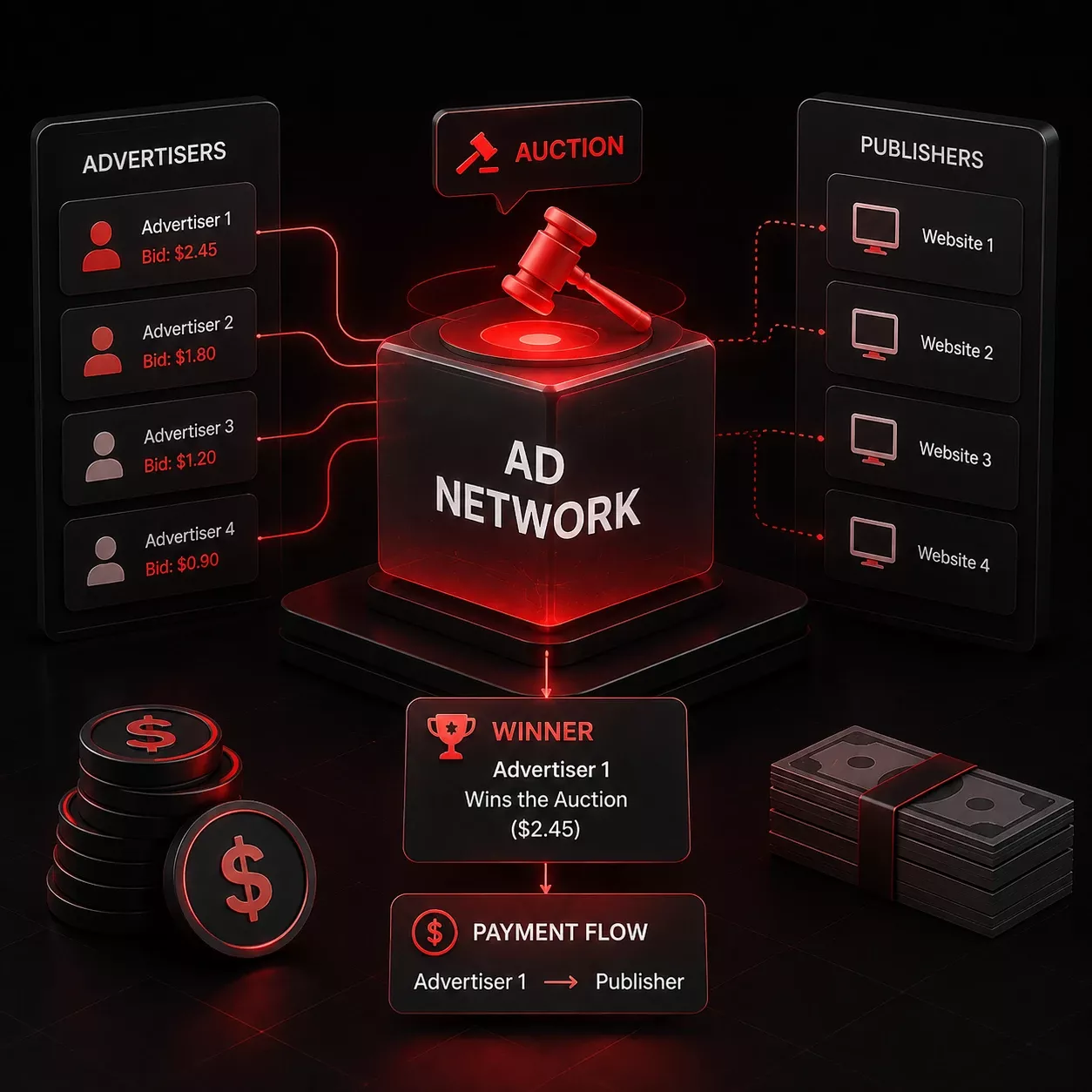
AdsCompass, an ad network and RTB exchange running since 2013, sells push ads from $0.001 a click, and the auction decides everything above that floor. The floor is published and fixed; the price you pay depends on who else is bidding for the same subscriber at that second. Confusing the two is the most common reason a first budget is planned wrong.
Push Ad Minimum Bids
AdsCompass sets a floor of $0.001 per click on classic push and $0.0008 on in-page push. Those floors are the same across all GEOs - there is no country premium built into the minimum itself. You pay the bid you set in RTB, with no second-price adjustment after you win, so the number you enter is the number to plan around. Cheap push traffic does exist at the floor, and it is cheap for a reason: at $0.001 you are buying whatever no one else bids higher on.
That $0.0002 gap is the only structural price difference we set between the two formats. Everything else is decided in the auction.
Push has no CPM option here. Both formats are sold per click to self-serve advertisers, the same as popunder ads, and CPM applies only to banner, native, video pre-roll and the two Telegram formats. If you are used to buying push per thousand impressions elsewhere, convert your target CPA into a target cost per click before you set a bid.
What Moves the Clearing Price
Three things move the clearing price of a push click on AdsCompass:
- How many advertisers are bidding on that GEO at that moment
- What the publisher's audience looks like by country and device
- Which of the two formats the placement uses
Nothing else is priced in. That is also why a fixed price list would be out of date within a week of publishing it.
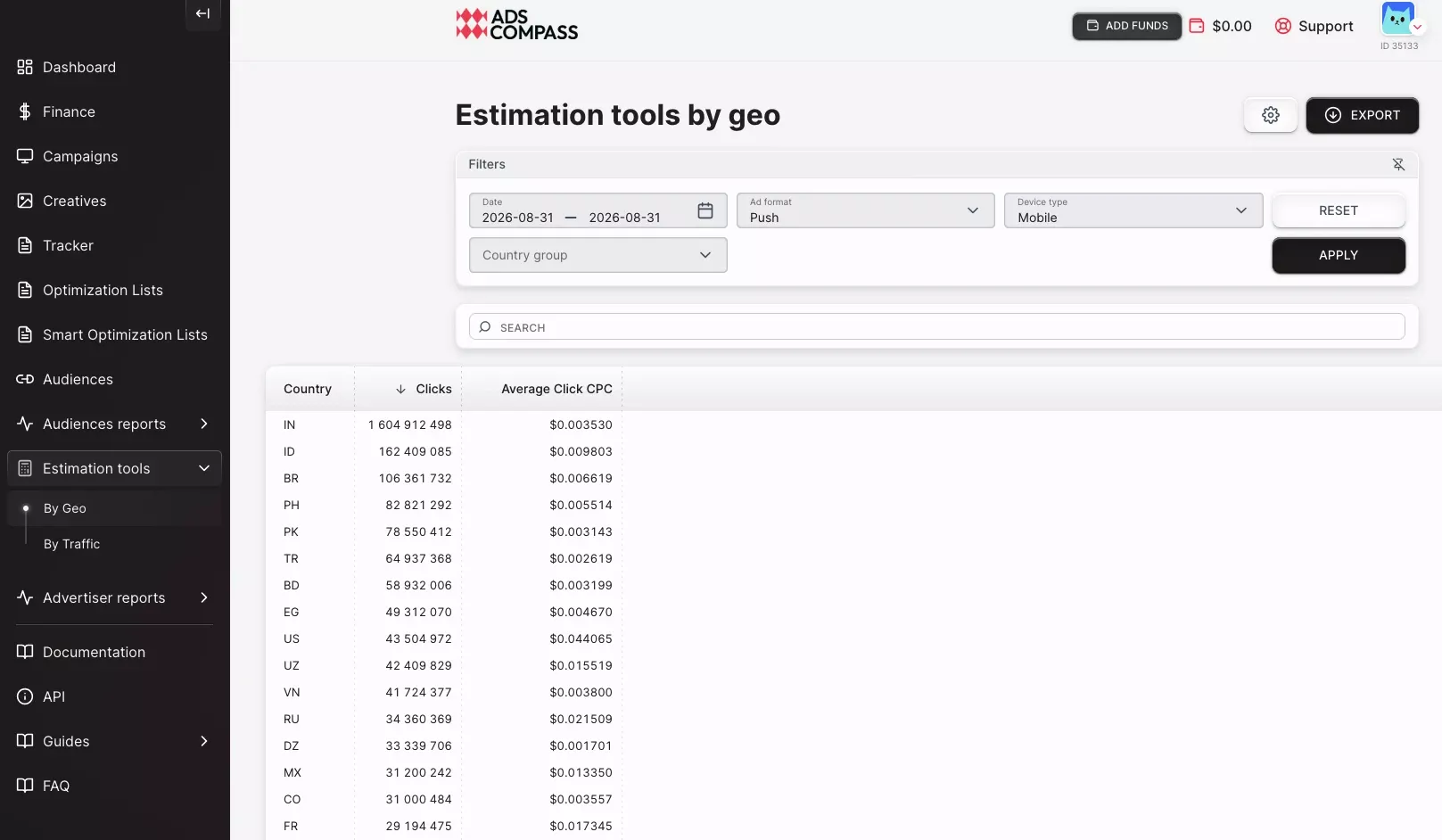
The Traffic Calculator sits in the estimation tools section of your advertiser account and holds the live numbers: volume and current average bids by GEO and format, with a device filter, refreshed from auctions that have already closed. Registration is free and the calculator opens before you deposit anything.
One caution on reading it. The average you see sits between the bid that wins most of the inventory and the bid that only picks up leftovers. If you want volume, bid above it. If you want cheap clicks, bid below it and accept that you will get less traffic.
Push Ad Volume and GEO Coverage
AdsCompass sells push ads into more than 200 GEOs, counting countries and territories. Across all ad formats, the platform serves about 8 billion impressions and 60 million clicks a day, but the push volume behind each GEO differs by an order of magnitude.
Coverage and depth are separate questions, and depth is what decides whether a campaign spends. A GEO can be available and still carry only a few thousand daily push impressions on the device and browser you picked. The campaign then looks broken when it is simply targeted into a corner. Check the Traffic Calculator for the exact GEO plus device plus browser, not for the country on its own.
Push inventory reaches us from two places: publishers monetizing their sites with us, and SSP partners connected over OpenRTB, which is what makes the push traffic network wider than our own publisher base. That mix decides how many distinct sources sit behind a country, which is what gives Source ID bidding something to work with later. A GEO fed by one large publisher and a GEO fed by forty small ones spend the same budget very differently.
Push Ad Deposit and Test Budget
The minimum deposit is $50. A realistic first push test is ten times your offer payout: $300 on a $30 offer, $600 on a $60 one, and $500 to plan around when the payout is not fixed yet. We set no floor and no default for the daily budget, so a campaign can technically run on far less. It just will not tell you anything.
The reasoning starts from the payout. A push campaign in any GEO pulls from many separate traffic sources, and a single source has said nothing until it has spent about one payout - ideally one and a half. On a $30 offer, that means $30 to $45 through one source ID before its conversion rate carries information. A source killed on four clicks costs more than the whole test would have.
Daily budget is the total divided by the days you allow for data collection. $500 over five days is $100 a day on one campaign. That applies to the testing phase and nothing else. Once you know which sources convert, budget becomes a function of your own funnel and payout, and no general rule survives the range of offers that run here.
Targeting Options for Push Ad Campaigns
Push ad campaigns on AdsCompass target on GEO and city, device, operating system with version, browser with version, ISP or mobile carrier, browser language, connection type, and retargeting audiences.
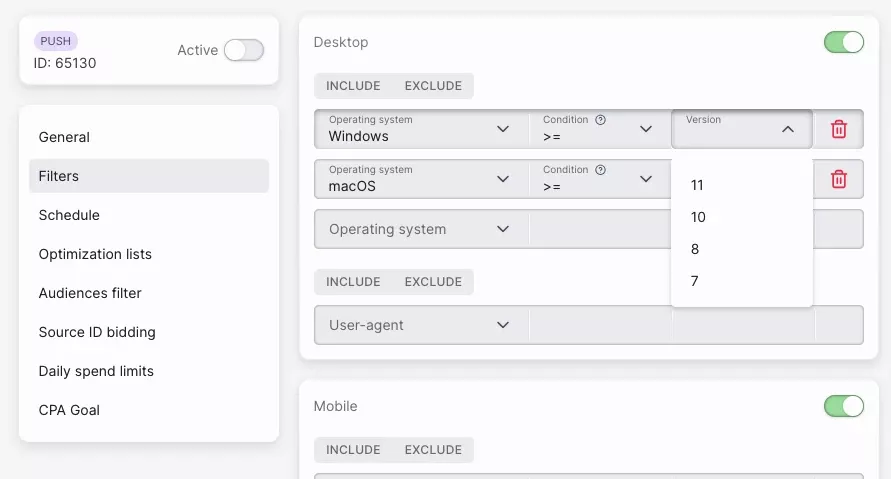
Version-level targeting on OS and browser goes unused more often than any other filter we offer. An installer that only runs on Windows 10 and above pays for every click from an older build, and one selection in the campaign settings fixes what a landing page redirect only hides.
ISP and carrier targeting earns its place on mobile operator offers, where the payable action depends on the network, and it is the filter that turns a general push notification ad network into a mobile one for the length of a campaign. Everywhere else it narrows the push volume we can deliver faster than most people expect: a campaign that stops spending right after a carrier filter went on is rarely a traffic quality problem.
| Parameter | What you can set | When it earns its place |
|---|---|---|
| GEO and city | Country, then city inside it | Always on country; city only for geo-fenced payouts |
| Device and OS | Device type, OS with version | Offers with a system requirement, such as a Windows installer |
| Browser and version | Browser family, version | Extension and download offers tied to one browser |
| ISP or carrier | Network operator | Mobile operator billing offers where payout depends on the network |
| Browser language | Language of the user's browser | Multilingual GEO with a single-language landing page |
| Connection type | Connection the user is on | Heavy creatives that need stable bandwidth |
| Audiences | Uploaded lists, auto-collection rules, storage period | Retargeting a pool collected by the SST pixel, a tag you place on your own pages |
| Proxy exclusion | On or off | First campaign, before you have any source data |
| IPv6 exclusion | On or off | First campaign, alongside the proxy filter |
Proxy and IPv6 Exclusions
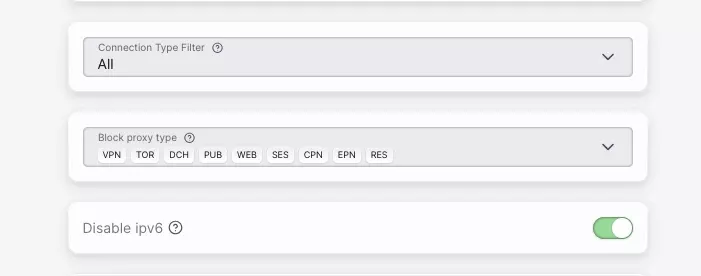
Two exclusion filters in AdsCompass belong on the first push ad campaign, not the fifth: proxy connections and IPv6 addresses. The proxy filter drops traffic arriving through proxies; the IPv6 filter removes a class of addresses carrying a disproportionate share of automated traffic. Neither is a complete antifraud system and I would not describe them as one. They cut a slice of low-quality clicks before you pay for them, which matters most in the test phase when every source in the report still looks the same. They matter even more if you also buy adult traffic: in markets with age checks, a growing share of users arrives through a VPN, and the proxy filter keeps those clicks out of your GEO report.
Source ID Bidding on Push Ad Campaigns
Source ID bidding on AdsCompass sets a separate bid for individual traffic sources inside one campaign; without it, a push ad campaign pays the same price for its best and its worst source. You upload a list of source IDs and attach a rule, so the converting source gets a higher bid and better placement while the one producing clicks and nothing else is cut down instead of switched off. Run flat across a GEO until sources accumulate data, pull the source report, then split the list by what each source did.
| What the AdsCompass source report shows | Action on that source ID |
|---|---|
| Conversions at or better than your target EPC | Raise the bid, take more of the volume |
| Conversions below target but present | Hold the bid, rotate a new creative before judging it |
| High click-through rate, no conversions | Cut the bid to the floor rather than removing it |
| Clicks with no post-click activity at all | Blacklist |
| Spend below one offer payout | Leave alone, keep collecting |
Cut a weak source to a floor bid before you delete it: a source that fails against one creative sometimes performs against another, and deletion ends that possibility for the rest of the campaign. Blacklists and whitelists work off the same report, filtered by IP, ISP and source ID. A whitelist campaign built from a finished test is the normal end state for a push offer with us: narrow, expensive per click, profitable. It is the same end state as on popunder traffic, where source selection is the only lever the format gives you.
Frequency, Scheduling and Spend Pacing
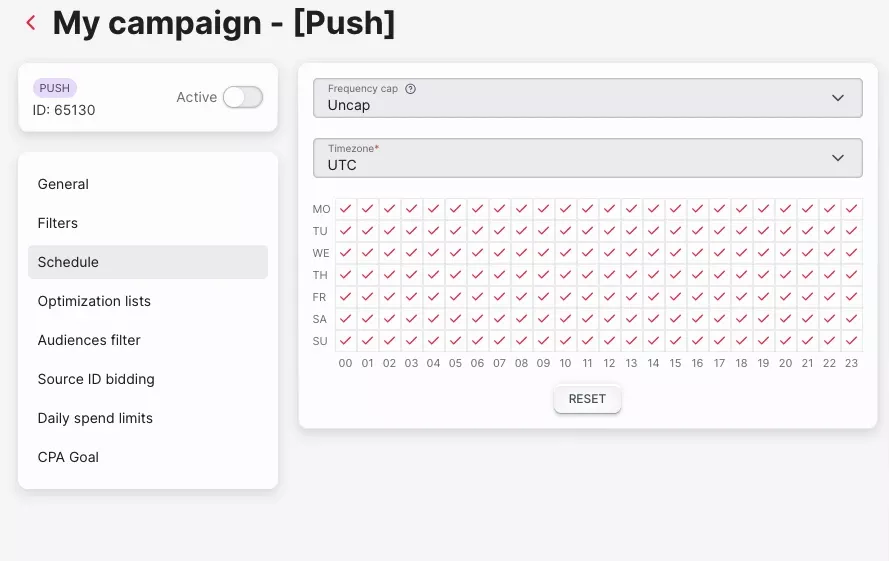
Three delivery controls sit on every AdsCompass push ad campaign: a frequency cap per unique IP per day, an hour-and-weekday schedule with its own timezone, and a choice between even and fast spend pacing. We do not adjust any of them for you. They carry more weight on push than on formats bought by impression: a subscriber pool is finite, and spending it badly today means bidding on a tired audience for the rest of the campaign.
Frequency Cap
Frequency in an AdsCompass push ad campaign is capped per unique IP per day, which decides whether a subscriber reads your creative as an offer or as noise. One or two a day is the same start for a cold offer, counted per unique IP rather than per session or subscriber ID. Raise it only when the rotation is deep enough that nobody sees the same headline twice.
Dayparting and Timezone
Push delivery on AdsCompass is scheduled by hour and day of week, with the timezone set explicitly on the campaign rather than inferred from your account. A campaign built for evening traffic in one country runs at breakfast in another if the timezone stays on yours, and the conversion gap that follows looks exactly like a traffic quality problem while being a scheduling artifact.
Spend Pacing
Two pacing modes are available on an AdsCompass push ad campaign: even distribution across 24 hours, or spending as fast as the auction allows. On a $500 test over five days, even pacing buys roughly $100 a day across all 24 hours and we hold that rate whether the cheap hours come early or late. Fast pacing can close the same $100 inside the two cheapest hours and hand you a source report that describes those two hours and nothing else. Test on even pacing; keep fast pacing for campaigns with a deadline.
Push Ad Creative Moderation and Rejection Reasons
AdsCompass moderates push creatives in about ten minutes, and rejections come down to three causes: a terms and conditions breach, a broken campaign link, or a flagged destination domain. Review runs longer when the queue is deep, and it is not tied to one timezone's business hours, so submitting late in your working day is fine. Delivery starts as soon as review clears.
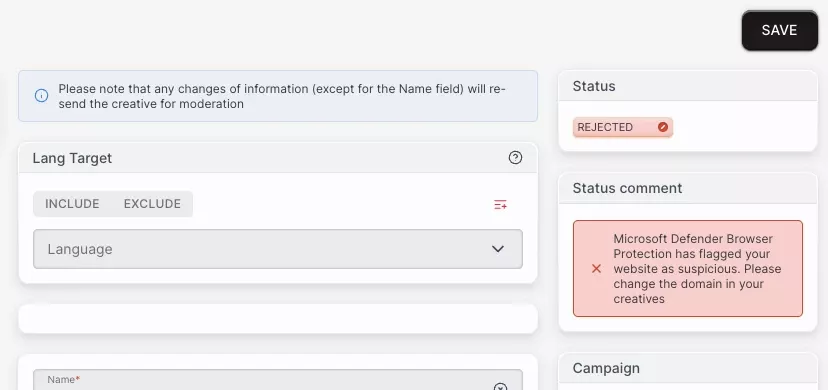
The VirusTotal rejection catches people by surprise: the creative and the offer can both be clean while the domain carries alerts from something a previous owner did. Check every new domain on VirusTotal before you submit it to us, not only after a rejection. And fix the rejected creative rather than duplicating the campaign, which sends the same problem back to the end of our queue.
| Rejection reason | What it usually looks like | Fix before resubmitting |
|---|---|---|
| Terms and conditions breach | Creative or offer falls into a never-accepted category: violence, weapons, drugs | Change the offer or creative; a new headline will not clear it |
| Malformed campaign link | Tracking template broken in editing, unclosed macro, missing parameter | Open the link and confirm it resolves with macros filled |
| Destination URL flagged on VirusTotal | High alert count on the domain, even with a clean creative | Check before submission; switch domains if already flagged |
Reasons a Push Ad Campaign Stops Spending
A push ad campaign on AdsCompass that shows impressions in the thousands and spend near zero is almost always a settings problem, not an inventory problem, and seven settings cause nearly all of it.
| What to check | What it looks like | Fix |
|---|---|---|
| Bid below the clearing price | Impressions served, almost no wins | Raise the bid above the $0.001 or $0.0008 floor; check the Traffic Calculator average for that GEO |
| Browser or OS version too narrow | Volume collapses after a version filter | Widen the version range, or target the OS family and filter on the landing page |
| Carrier or ISP filter on a non-operator offer | Spend stops within minutes of the change | Remove the filter unless the payout depends on the network |
| Frequency cap too low for the pool | Spend flattens after the first hours | Raise from one to two a day, or add creatives so rotation refreshes |
| Schedule set in your own timezone | Delivery happens overnight in the target GEO | Set the campaign timezone to the market, not to your desk |
| Proxy and IPv6 exclusions on a small GEO | Volume drops with no change in bid | Keep both on and widen the GEO instead |
| Creative still in moderation, or balance empty | No impressions at all | Check moderation status and balance before touching the bid |
Order matters when you start unwinding this. Change the bid first, since it costs nothing to test and explains most cases. Change targeting second. Change frequency and pacing last, because they alter what the source report will say and reset your read on the sources you have already collected.
The First Week of a Push Ad Campaign
A first push ad campaign on AdsCompass produces nothing worth acting on until roughly day three. That is what I see advertisers run into rather than a platform setting, and knowing it in advance is what stops people from breaking a test that was working.
Day 0. Register, check your GEO in the Traffic Calculator, deposit, build. A $0.001 bid on classic push wins the inventory nobody else wanted, so start higher; switch on the proxy and IPv6 exclusions, cap frequency at one or two a day, pace evenly, load three to five creatives, and put the source ID and click ID macros in the tracker URL before the first click, not after. Creatives clear moderation in about ten minutes and the campaign bids the same hour.
Days 1 to 2. Clicks arrive from a wide spread of source IDs with a handful each. No single source has spent a payout yet, so conversion rates swing between 0% and something implausible on tiny numbers. The only fair reads are hourly performance and whether the creatives are getting clicked at all.
Day 3. The biggest sources have enough spend to judge, the long tail does not. Act on the top of the list, leave the tail collecting.
Day 5. Enough of the list has spent a payout each for a real split of Source ID bids: raises on the converters, floor bids on the high-CTR non-converters, blacklists on the dead ones. The campaign stops being a test and starts being a whitelist.
Push Ad Tracking, Macros and Reports
AdsCompass passes seven macros to your tracker, takes conversions back through server-to-server postbacks, and reports in real time by day, hour and source. Those three make a push ad campaign readable from your side.
| Macro | What it passes | Why it belongs in the tracker URL |
|---|---|---|
| source ID | The traffic source behind the click | Without it, Source ID bidding has nothing to act on |
| click ID | Unique click identifier | Ties the postback back to the click that earned it |
| campaign ID | The campaign that served the ad | Separates campaigns on the same offer |
| creative ID | The creative that was clicked | Decides which creative to keep in rotation |
| price | What the click cost | Profit per source without an export |
| IP | Click IP address | Feeds IP blacklists and fraud checks |
| user agent | Browser and device string | Explains conversion gaps that are rendering problems, not traffic quality |
Put Source ID in the tracker URL before the first click rather than after the first results. It matches each click in your tracker to the same line in the source report, and a test that runs with it from the start is ready to bid on as soon as the sources have spent enough.
CPV Lab and CPV One have a documented integration with a written setup guide. Keitaro, Binom, Voluum and RedTrack connect through postback templates instead, which takes a few extra minutes and works the same way once configured.
Deposits, Payment Methods and Cashback
The AdsCompass advertiser account runs in USD, takes a $50 minimum deposit on any of its payment rails from cards to crypto, and returns part of what you spend as cashback on the balance. The minimum is the same whichever rail you pick; what changes between them is how quickly the funds appear.
Deposit Methods
Deposits into an AdsCompass account go through Visa and MasterCard, Apple Pay and Google Pay, PayPal, Capitalist, Paxum, WebMoney, wire transfer, USDT on TRC-20 and BTC, and we charge nothing on top of what the rail itself takes. The rails clear at different speeds, so fund the account a day before a dated campaign start: a creative that clears moderation in ten minutes still cannot spend on an empty balance.
Cashback
Cashback on AdsCompass starts at 1% of advertiser spend, credited back to the balance and rising with volume; we agree the higher tiers with each advertiser through their account manager instead of publishing a grid. At the entry level it is a margin adjustment on a campaign that already works, not something to plan a push test around.
FAQ
How much do I need to deposit to start a push ad campaign?

How long does creative moderation take on AdsCompass?
How quickly does a bid change take effect?
Is there a minimum daily budget on AdsCompass?
Where can I buy push traffic for a specific GEO?
Is in-page push available as well as classic push?
Where do I see current push prices by country?
Which trackers work with AdsCompass?