



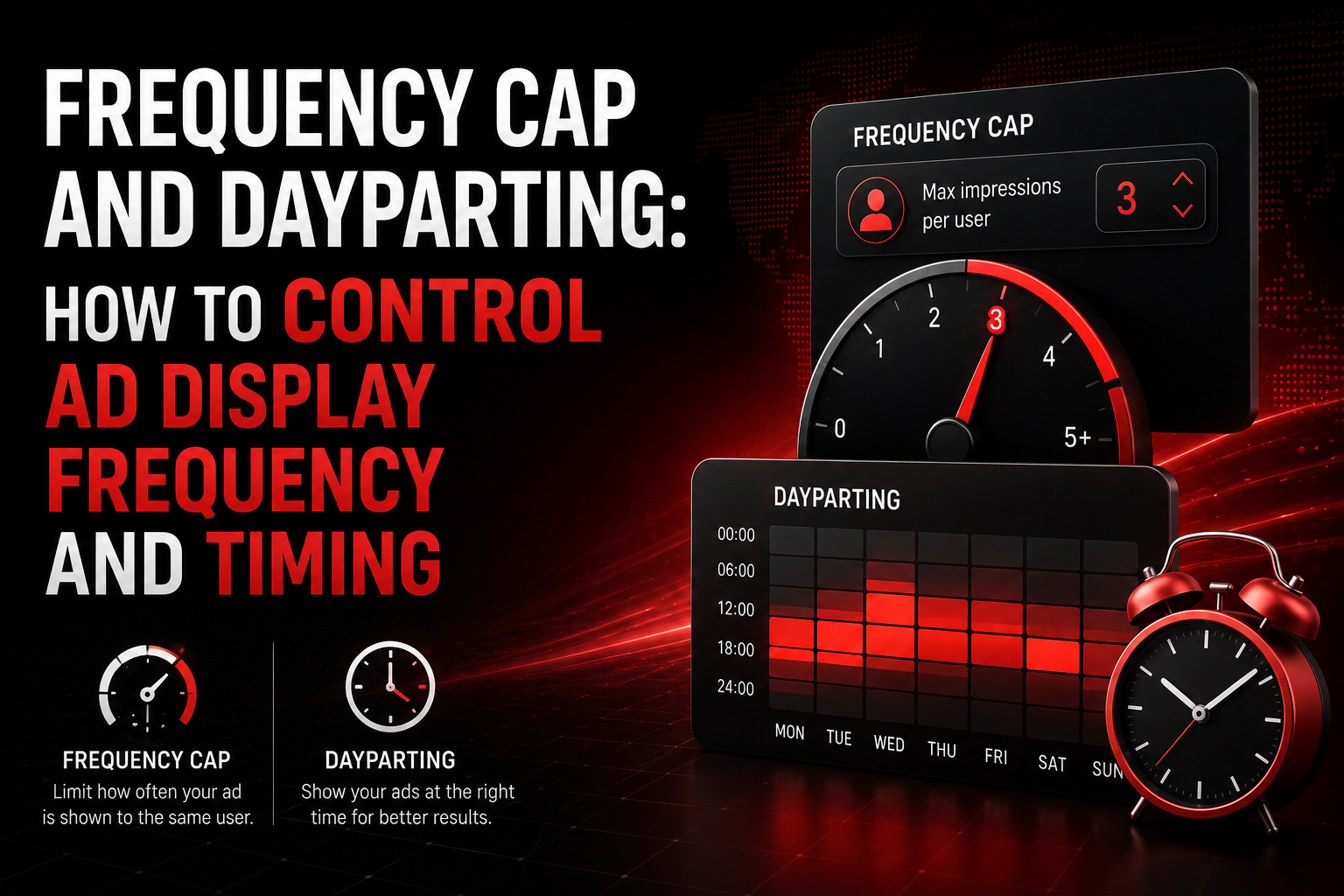
Frequency cap and dayparting are two tools that don't generate traffic but determine how effectively you use it. One controls how many times a single user sees your ad. The other controls when exactly the ad is shown. Both directly affect CR, eCPM, and budget burn rate — yet most buyers set them to "default" and never touch them again. I see this constantly at AdsCompass: a pop campaign with no frequency cap burns through its $50 daily budget in 2 hours, showing ads to the same users 10–15 times. CTR drops, advertisers lower bids on zones, eCPM for the publisher sinks — and both sides lose money. Meanwhile, the fix takes 30 seconds: one setting in the dashboard. This guide explains how to choose the right cap for each format, when to enable dayparting, and which mistakes cost the most.
Key Takeaways
- Frequency cap for pop: 1 impression per 12–24 hours. For push: 1–2 per day. For in-page: 2–3 per day
- Without a cap, a pop campaign can burn through the entire budget in an hour on the same users
- A strict cap reduces impression volume but improves zone CR and eCPM
- Dayparting concentrates budget on hours with the highest conversion
- Cap and dayparting benefit both sides: advertiser ROI and publisher revenue
What Is Frequency Cap and Why It Defines Campaign Economics
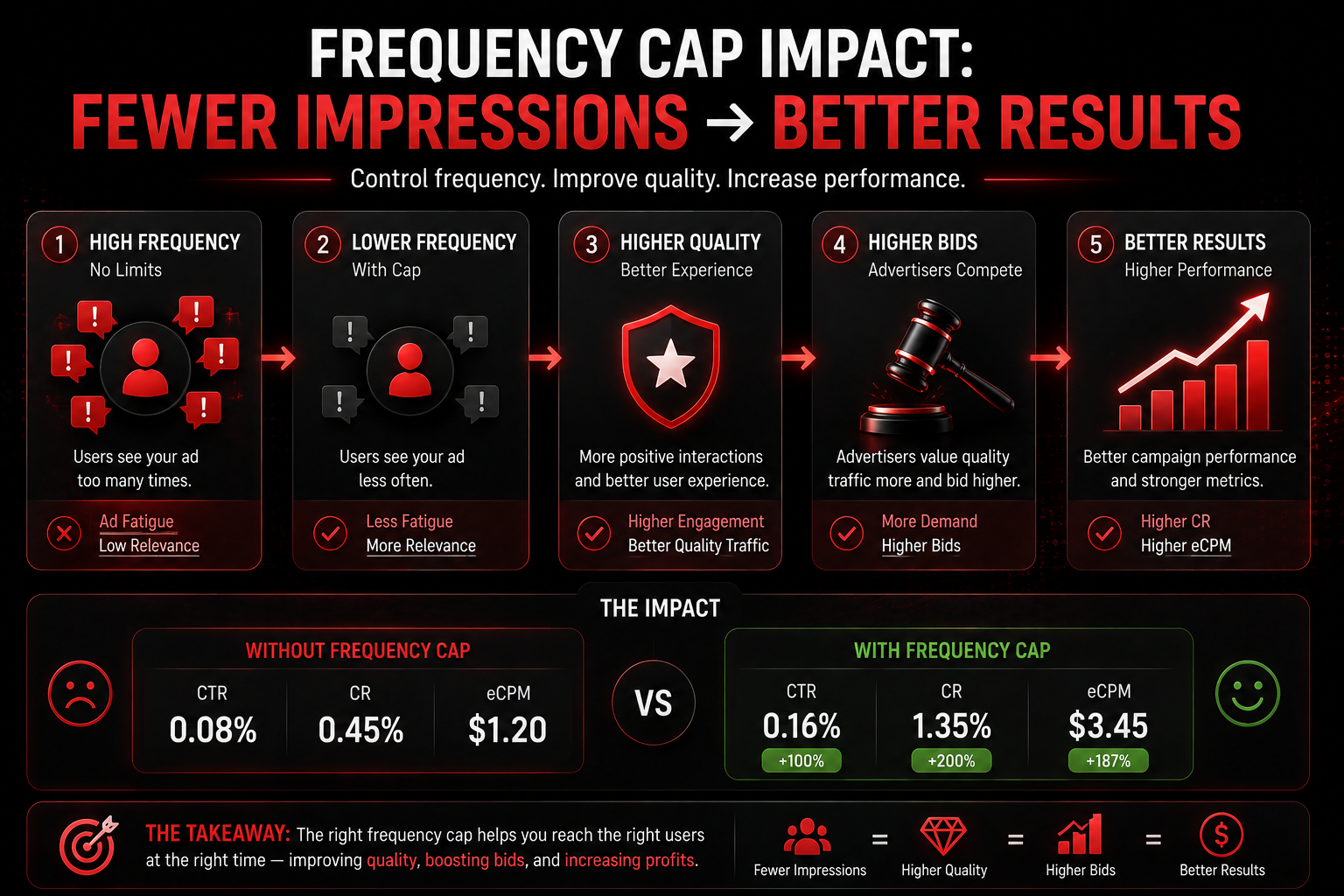
Frequency cap is a setting that limits the number of ad impressions shown to a single unique user within a defined period. Without a cap, one user can see your ad an unlimited number of times. According to IAB, frequency control is part of baseline recommendations for ad inventory management, because unlimited frequency destroys campaign economics from both sides. The mechanics are straightforward: the advertiser pays per click (CPC) or per impression (CPM). If one user sees the ad 10 times and doesn't click, the CPC advertiser doesn't pay, but the zone registers 10 impressions with zero CTR. Advertisers on the platform see a zone with low CTR and CR and lower their bids — eCPM for the publisher drops. If the advertiser pays CPM, they pay for all 10 impressions to the same user, but conversion from repeated impressions approaches zero. Budget burns. A frequency cap breaks this cycle: each impression goes to a unique user, CR rises, advertisers raise bids, eCPM grows.
What Frequency Cap to Set for Each Format
The optimal cap depends on the format, because each format creates a different type of contact with the user. Pop opens automatically — a repeated impression to the same user irritates more than a repeated push notification that can be swiped away. In-page push is less intrusive than classic pop and tolerates a slightly higher frequency. All AdsCompass formats support frequency cap settings in the self-serve dashboard. Below are recommendations that work as a starting point. Final values are determined by testing on a specific campaign.
Pop: 1 Impression per 12–24 Hours
Pop is the most "aggressive" format: the page opens in a new window without warning. A repeated impression to the same user within one session almost never converts and is perceived as spam. Optimal cap: 1 impression per unique user in 24 hours. For highly competitive GEOs (Tier-1), this can be shortened to 12 hours — but no less. Without a cap, a pop campaign in a high-volume GEO can burn through the entire daily limit in 1–2 hours showing ads to the same users.
Push: 1–2 Impressions per Day
Push notifications are less intrusive: the user voluntarily subscribed and is accustomed to notifications. But the push base is finite, and each extra impression accelerates burnout. 1 impression per day is a safe starting point. 2 impressions are acceptable if you have several different creatives and rotate them. More than 2 — CTR starts dropping by the third day, and subscribers begin opting out.
In-Page Push: 2–3 Impressions per Day
In-page push renders on the page as an HTML element and is perceived as less intrusive than pop or classic push. The user sees the notification, can close it, and sees it again on the next visit. 2–3 impressions per day is the working range. More than 3 — the user starts ignoring the format, and CTR falls.
How Frequency Cap Affects Both Sides — Advertisers and Publishers
Frequency cap is one of the few tools that works in favor of both sides of the market simultaneously. For the advertiser, a cap means every click comes from a unique user rather than from the same person who's seen the ad 15 times. CR rises, CPA decreases, ROI improves. Budget is distributed across a larger audience instead of burning on repeat impressions.
For the publisher, a cap reduces the absolute number of impressions — and at first glance, this seems like lost revenue. But in practice, the opposite happens: zones with a cap show higher CTR and CR, advertisers see better statistics and raise bids. eCPM per impression grows and compensates for the volume reduction. In most cases, total publisher revenue with a cap is higher than without one. More details on managing eCPM are available on the AdsCompass blog.
Honest tradeoff: for campaigns where maximum reach in minimum time matters (such as announcing an event in a specific GEO), a strict cap can limit the speed of impression accumulation. In such cases, it's acceptable to temporarily loosen the cap to 2–3 impressions and return to 1 after the period ends.
What Is Dayparting and When Is It Needed
Dayparting is a setting that restricts ad display to specific hours of the day or days of the week. Instead of running 24/7, a campaign operates, for example, from 18:00 to 23:00 local time — during hours when the target audience is most active. According to Statista, user activity in digital is distributed unevenly: peak hours for mobile traffic are evening (18:00–23:00), for desktop — business hours (10:00–17:00). Dayparting allows concentrating budget on high-activity hours and not spending money on impressions at 3 AM when conversion is minimal.
Dayparting is needed in three cases. First: limited budget. If you have $20/day for a test, it makes sense to spend it on 5 peak hours rather than spreading it across 24. Second: a specific audience. Gaming offers convert in the evening and on weekends. Finance — during business hours. Third: different time zones. A campaign targeting Brazil and Indonesia simultaneously — "evening" for each arrives at different times.
How to Set Up Dayparting for Different GEOs
Dayparting with one GEO is simple: select the time zone, set the display hours. Dayparting with multiple GEOs is more complex, because "evening" in Brazil (UTC-3) and "evening" in Indonesia (UTC+7) is a 10-hour difference. If the campaign runs on both GEOs with dayparting set to 18:00–23:00 UTC — in Brazil that's 15:00–20:00 (too early), and in Indonesia it's 01:00–06:00 (nighttime). Both miss the mark.
The solution: separate campaigns for each GEO with dayparting in the local time zone. On AdsCompass, each campaign is configured for a specific GEO with its own schedule. This requires more campaigns but gives precise control.
How to identify peak hours: launch a campaign without dayparting for 72 hours. In the tracker, check the distribution of conversions by hour. Hours with the highest concentration of conversions are your dayparting window. Typically this is 2–3 peak blocks of 3–5 hours each.
What Mistakes Are Made with Frequency and Timing Settings
The first: no frequency cap at all. This is the default mistake — most platforms don't set a cap automatically, and without manual configuration the campaign shows ads unlimited times. For pop, this is catastrophic: budget burns on repeat impressions, zones get poor statistics, eCPM drops.
The second: a cap that's too strict at launch. A cap of 1 impression per 72 hours limits volume so much that statistics accumulate slowly and optimization takes weeks instead of days. For test campaigns, 1/24h is optimal. Tighten only after collecting data.
The third: dayparting without data. Enabling dayparting from 18:00–22:00 because "people use their phones in the evening" is an assumption, not a strategy. First run 72 hours without dayparting, then analyze conversions by hour, then configure.
The fourth: the same cap for all formats. Pop at 3/24h and in-page at 3/24h are two different things. Pop at a frequency of 3 irritates users and kills CR. In-page at a frequency of 3 is a working setting. Each format requires its own cap.
The fifth: not revisiting settings. Peak hours change with seasons: in summer, evening activity shifts later; during Ramadan in Muslim countries, nighttime activity spikes sharply; in Q4, advertising competition intensifies. Review dayparting monthly.
How Frequency Cap and Dayparting Work on AdsCompass
On AdsCompass, frequency cap and dayparting are configured in the self-serve dashboard when creating or editing a campaign. The cap is set in the format "X impressions per Y hours" at the individual campaign level. Dayparting is set by selecting display hours tied to the GEO's time zone.
Real-time statistics allow tracking the distribution of clicks and conversions by hour — the data needed to configure dayparting. Combined with a tracker (Keitaro, Binom, RedTrack, Voluum, BeMob) and the zone_id subID parameter, you can see which hours which zones convert, and build dayparting not just by GEO but by zone.
The platform operates on CPC (pop, push, in-page) and CPM (native, banners, pre-roll, TMA), covers 200+ GEOs, and processes over 900 million impressions daily. For publishers, frequency caps on the advertiser side mean better zone statistics and, consequently, higher bids from competing buyers. To get started — sign up and set your cap before the first launch.
FAQ
What happens if you don't set a frequency cap?
The campaign shows ads to the same user unlimited times. For pop, this can mean 10–20 impressions to one person per session. Budget burns on repeat contacts, CR drops to zero, and advertisers lower bids on zones. Always set a cap before launch.
Can I change the frequency cap on a running campaign?
Yes. On AdsCompass, the cap can be changed in campaign settings without restarting. The change takes effect immediately. Recommendation: start with 1/24h, after 48–72 hours evaluate click volume. If volume is too low for data collection — loosen to 2/24h. If volume is sufficient — keep it.
What time of day is best for showing ads?
Depends on GEO and vertical. General benchmarks: mobile traffic peaks from 18:00 to 23:00, desktop from 10:00 to 17:00. Gaming converts in the evening and on weekends, finance during business hours. Don't guess — launch a campaign without dayparting for 72 hours and identify peak hours from tracker data.
Is dayparting needed for pop traffic?
Depends on budget. At $50+/day, dayparting may be unnecessary — there's enough volume for the full day. At $10–20/day, dayparting concentrates budget on peak hours and delivers more conversions for the same money. Test: one campaign 24/7, another with dayparting — compare cost-per-conversion.
How does frequency cap affect publisher fill rate?
A cap limits the number of impressions to a single user, which reduces total impressions on the zone. Fill rate may temporarily drop. But a zone with a cap shows higher CTR and CR, advertisers raise bids — and eCPM per impression grows. In most cases, total publisher revenue with a cap is higher.
Is the optimal cap the same for Tier-1 and Tier-3?
No. In Tier-1, competition for users is higher and each impression costs more — a strict cap (1/24h) is justified. In Tier-3, impression costs are lower, volumes are larger, and a 2/24h cap is acceptable for faster data collection. After the testing phase — tighten the cap in both tiers.
About the Author
Vlada, Business Developer at AdsCompass. Works with advertisers and publishers in digital advertising, specializing in performance formats and international markets. Helps partners build traffic acquisition and monetization strategies across 200+ GEOs.