



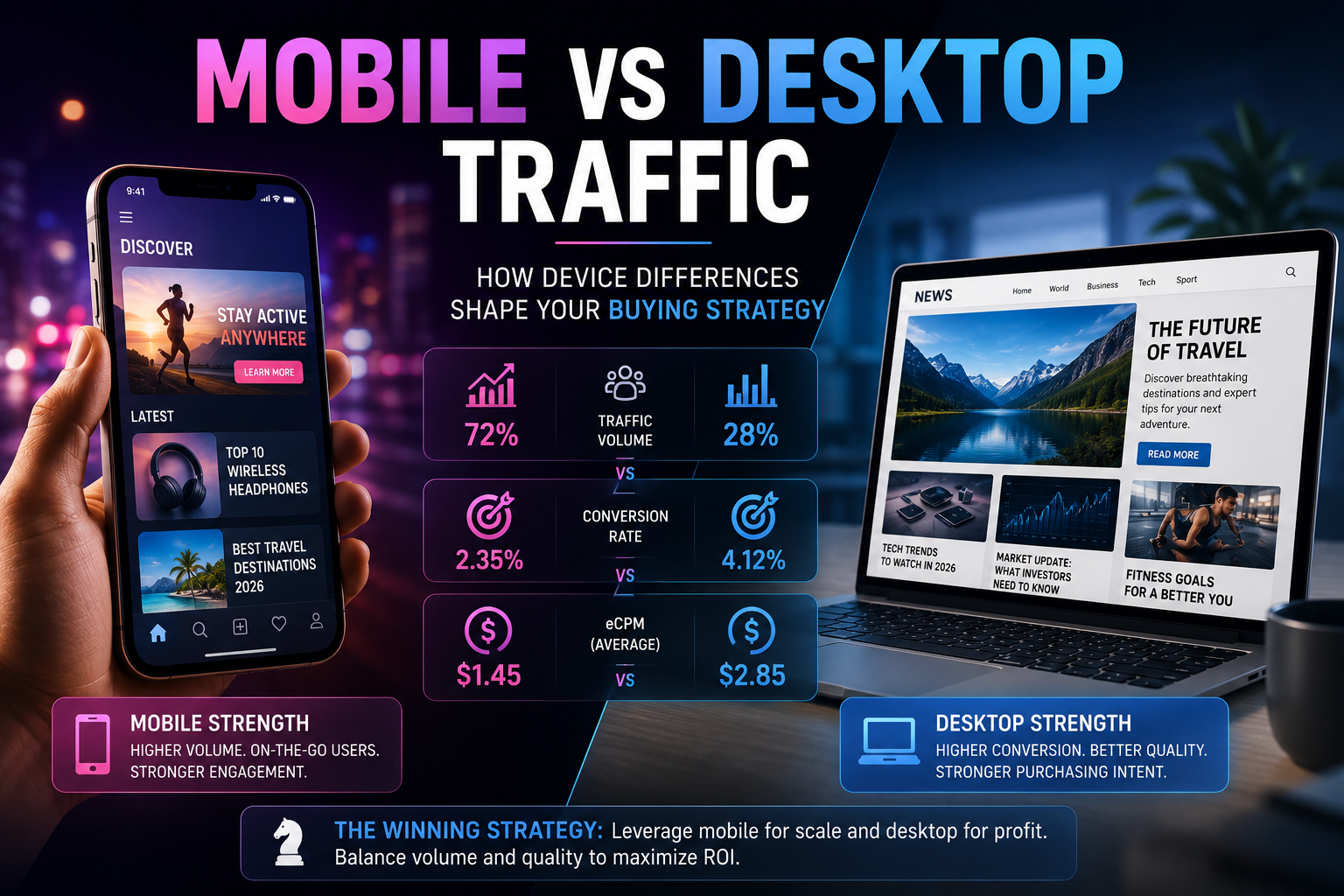
Mobile traffic accounts for 60–65% of all global internet traffic in 2026. In Tier-2 and Tier-3, that share reaches 85–90%. For a media buyer working with an ad network, this isn't just a statistic — it's a fundamental difference in audience behavior, click cost, conversion, and format selection. A mobile user and a desktop user represent two different types of ad contact, and a campaign that doesn't account for this distinction loses money on both. I see this regularly at AdsCompass: a buyer launches one campaign across all devices, gets blurred statistics, and can't figure out what's actually converting. Splitting by device is one of the simplest optimizations that delivers measurable results within the first 48 hours. This guide explains exactly how the differences between mobile and desktop affect traffic buying and what to do about it in practice.
Key Takeaways
- Mobile delivers 60–90% of volume in Tier-2/3, but bounce rate is 10–12% higher than desktop
- Desktop converts 1.5–2x better, but volumes are significantly smaller
- Push doesn't work on iOS — in-page push fills this gap
- Splitting campaigns by device simplifies optimization and improves ROI
- Android dominates in Tier-2/3, iOS dominates in the Tier-1 premium segment
Mobile and Desktop Traffic in 2026: What the Numbers Show
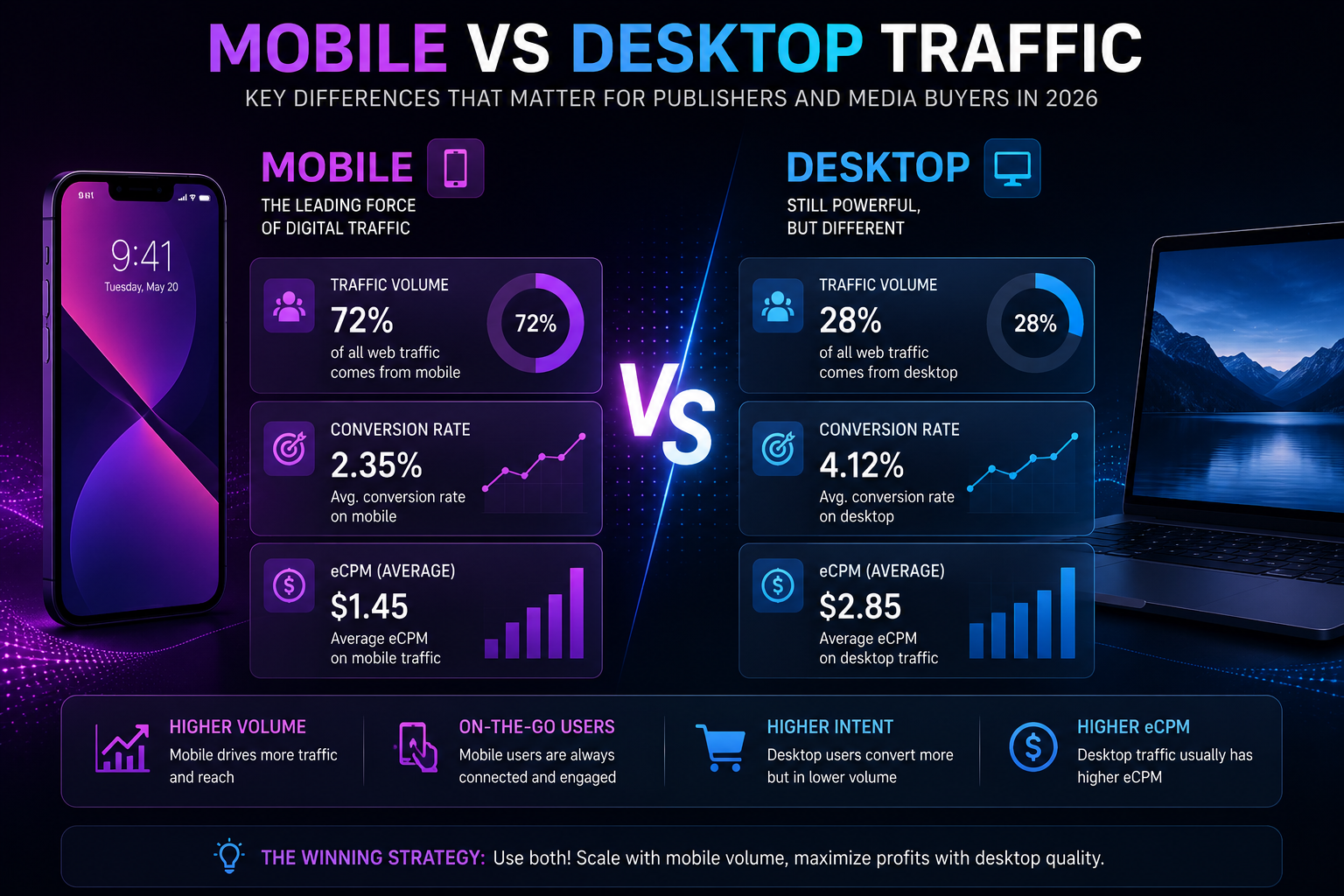
According to Statista, mobile devices generate approximately 52–54% of global web traffic in 2026, with desktop accounting for roughly 46–48%. But these averages mask regional differences that are critical for media buying. In Southeast Asia, Africa, and South Asia, the mobile traffic share reaches 85–90%: users access the internet predominantly from smartphones, and the desktop audience is minimal. In North America and Western Europe, the split is closer to 55/45 in favor of desktop, especially during working hours. For a buyer, this means one thing: device strategy should be built on the specific campaign GEO, not on global statistics. Launching a campaign targeting "all devices" in Indonesia is effectively launching on mobile Android with 5–10% desktop noise. Launching on "all devices" in Germany is mixing two audiences with different behavior and different conversion rates.
How Do eCPM and CPC Differ Between Mobile and Desktop?
Cost differences by device depend on format and GEO, but the overall pattern is consistent: desktop traffic is more expensive than mobile because it converts better. Industry data shows desktop sessions convert 1.5–2 times more effectively than mobile: 3.8% CR on desktop versus 2.1% on mobile on average across e-commerce. Advertisers are willing to pay more for a desktop impression, which raises eCPM for publishers and CPC for buyers.
On AdsCompass, the difference is visible across formats. Pop on mobile Android in Tier-3 starts at $0.001 CPC. The same pop on desktop in Tier-1 runs $0.01–0.03 CPC. A 10–30x difference. For push, the situation is similar: mobile rates are lower, but volumes are multiples higher. For CPM formats (native, banners), desktop traditionally delivers eCPM 2–3 times higher than mobile, because brand advertisers value desktop viewability and longer contact time.
Honest tradeoff: cheap mobile traffic doesn't mean "bad." With proper optimization, mobile CPC campaigns can deliver higher ROI than expensive desktop ones — because the budget stretches to cover far more tests.
Which Formats Work Best on Each Device
Ad format and device type are linked parameters. A format that performs well on a mobile screen can be ineffective on desktop, and vice versa. Understanding this connection saves budget and accelerates the path to working setups. On AdsCompass, all formats are available for both mobile and desktop traffic, but their effectiveness differs substantially.
Mobile: Pop, Push, In-Page, TMA
Mobile traffic is the domain of quick-contact formats. Pop on mobile delivers maximum volume at minimal cost. Push notifications work on Android, where users are accustomed to notifications — CTR is consistently higher than on desktop. In-page push covers the iOS segment, where classic push is technically unavailable. Telegram Mini-App (Rewarded Video and Rewarded Post) is an exclusively mobile format: the TMA audience is 90%+ mobile users.
Desktop: Native, Banners, Video Pre-Roll
Desktop is the domain of visual-contact formats. Native on desktop performs more effectively than on mobile: more screen real estate, more context, and users read more attentively. Banners on desktop have higher viewability — page position is more stable and scrolling is slower. Video pre-roll on desktop shows a higher completion rate: users are more likely to watch a video to the end in a desktop environment.
iOS vs Android: What to Consider When Buying
Splitting mobile into iOS and Android is no less important than splitting into mobile and desktop. In the context of ad networks, there's one fundamental technical difference between iOS and Android: classic push notifications don't work on iOS. Apple ATT restricts tracking, and Safari blocks browser push subscriptions. For a buyer, this means a push campaign on iOS won't acquire a single subscriber.
The solution is in-page push: a format that visually replicates a push notification but renders as an HTML element inside the page. No subscription needed, iOS doesn't block it. On AdsCompass, in-page is available with OS-level targeting, allowing you to launch a separate campaign specifically for the iOS audience.
In Tier-2 and Tier-3, the Android share reaches 90%. Running campaigns with iOS targeting in Indonesia or Nigeria is pointless — there won't be enough volume. In Tier-1 (US, UK, Australia), the iOS share reaches 50–60%, and ignoring this segment means losing half the premium audience.
Why You Should Split Campaigns by Device
The main reason is data cleanliness. When mobile and desktop are mixed in one campaign, statistics show averages: average CTR, average CR, average CPC. The problem is that this average doesn't reflect reality for either device. Mobile traffic may deliver excellent CTR but low CR. Desktop may show low CTR but high CR. Combined, both metrics look "normal," but individually one channel is profitable and the other is losing money.
Splitting campaigns by device solves three problems. First: you see real metrics for each device and can optimize bids separately. Second: you can use different creatives — a mobile landing page and a desktop landing page require different structures and load speeds. Third: white- and black-lists by zone work more precisely, because a zone can convert on mobile and not convert on desktop.
Recommendation: always launch separate campaigns for mobile and desktop. Within mobile — separate Android and iOS if the GEO supports it (in Tier-1).
What Mistakes Are Made When Working with Mobile and Desktop Traffic
The first: launching one campaign across all devices. This is the most common mistake, and it costs the most: blurred statistics, impossible optimization, wrong decisions on zones. Per IAB standards, device segmentation is a baseline media buying practice.
The second: using the same landing page for mobile and desktop. A mobile user spends 1.5–3.5 minutes on a page, a desktop user spends 5–7 minutes. A mobile landing page should load in under 3 seconds and have a large CTA element. A desktop page can afford more content and a more complex structure.
The third: ignoring iOS. In Tier-1, the iOS share is 50–60%. If you're running only push without in-page, you're losing half the premium audience. In-page push on AdsCompass fills this gap.
The fourth: extrapolating desktop metrics to mobile. A 3.8% CR on desktop doesn't mean 3.8% on mobile. A 42% bounce rate on desktop doesn't mean 42% on mobile (mobile bounce rate is typically 54%+). Each device is a separate reality with separate benchmarks.
How to Work with Devices on AdsCompass
AdsCompass provides a full set of tools for working with mobile and desktop traffic from one self-serve dashboard. Targeting by device (mobile, desktop, tablet), operating system (Android, iOS, Windows, macOS), browser, and carrier. Each campaign can be configured for a specific device and OS, ensuring clean data and precise optimization.
All platform formats — pop, push, in-page, native, banners, video pre-roll, and Telegram Mini-App — work on both mobile and desktop. CPC formats (pop, push, in-page) are optimal for mobile traffic with its high volumes. CPM formats (native, banners, pre-roll) are more effective on desktop with its higher viewability. For publishers, splitting zones by device increases eCPM: desktop zones attract brand advertisers with higher bids.
The platform covers 200+ GEOs and processes over 900 million impressions daily. Real-time statistics with device and OS breakdowns enable data-driven decisions. To get started — sign up and check volumes for your target devices and GEOs in the Traffic Calculator.
FAQ
Should I launch separate campaigns for mobile and desktop?
Yes, always. Mixing devices in one campaign produces blurred statistics and makes optimization impossible. Mobile and desktop traffic differ in CTR, CR, bounce rate, and cost — each device requires separate settings and bids.
What bounce rate is considered normal for mobile traffic?
50–60% is the working range for mobile. Desktop bounce rate is typically 40–50%. The 10–12 percentage point difference is standard: mobile sessions are shorter, and users decide faster whether to stay or leave. A bounce rate above 75% on mobile signals problems with the landing page or traffic quality.
Why doesn't push work on iOS?
Safari doesn't support the Web Push API for browser push notifications, and Apple ATT restricts user tracking. As a result, iOS users cannot subscribe to push notifications through the browser. The solution is in-page push: the format renders as an HTML element on the page, requires no subscription, and works on all operating systems, including iOS.
In which GEOs does mobile traffic dominate?
Southeast Asia (Indonesia, Philippines, Vietnam — 85–90% mobile), South Asia (India, Pakistan — 80–90%), Africa (Nigeria, Kenya — 85%+), Latin America (Brazil, Mexico — 75–80%). In North America and Western Europe, the balance is closer to 50/50.
Does mobile traffic convert worse than desktop?
On average, yes: desktop CR is approximately 1.5–2 times higher than mobile (3.8% vs 2.1% per e-commerce benchmarks). But mobile traffic is cheaper, and with proper optimization, the cost per conversion on mobile can be lower than on desktop. Evaluate cost-per-conversion, not CR in isolation.
Do I need to adapt the landing page for mobile devices?
Absolutely. A mobile landing page should load in under 3 seconds, have large CTA buttons, minimal text, and a vertical layout. A desktop landing page on a mobile screen means small text, horizontal layout, and lost conversions. Different landing pages for different devices is standard practice.
About the Author
Vlada, Business Developer at AdsCompass. Works with advertisers and publishers in digital advertising, specializing in performance formats and international markets. Helps partners build traffic acquisition and monetization strategies across 200+ GEOs.